Ever wonder if your posts are good enough for people to save and bookmark them for later?
If you’ve ever caught yourself asking “can you see who saved your Instagram post?”, you’re not alone. It’s one of the most searched Instagram privacy questions and the answer surprises a lot of people.
In this article, you’ll learn:
- Exactly what Instagram lets you see (and what it doesn’t)
- Why saves matter more than you think
- How to check save counts
- How Instagram’s privacy rules shape everything behind the scenes.
We’ll also:
- Clear up myths
- Expose risky third-party apps
- Show you how to use saves to your advantage
By the end, you’ll understand Instagram saves better than most users, and you’ll know how to use that knowledge to improve your content strategy with confidence.
What Does “Saved on Instagram” Actually Mean?
Before answering whether you can see who saved your Instagram post, it’s important to understand what “saving” really is on Instagram.
When someone taps the bookmark icon under a post, they’re adding that post to their private saved collection. Think of it like bookmarking a webpage, it’s for personal use, not public interaction.
Key things to know about Instagram saves:
- Saved posts are completely private
- Only the person who saved the post can see it
- Saved posts do not appear on profiles
- Saving a post does not notify the creator
This design is intentional. Instagram treats saves as a personal utility feature, not a social signal like likes or comments.
Saves vs Likes vs Shares (Quick Breakdown)
- Likes = Public approval
- Comments = Public conversation
- Shares = Content distribution
- Saves = Private value
That difference is crucial when we talk about privacy and visibility.
Can You See Who Saved Your Instagram Post?
Short answer: No.
Instagram does not allow you to see the identities of people who saved your posts and it never has.
Even if you have:
- Thousands of followers
- A Business or Creator account
- High engagement
- Instagram Insights enabled
You still cannot see usernames, profiles, or identities of people who saved your content.
Why Instagram Doesn’t Show This Information
Instagram’s reasoning comes down to privacy and user trust.
If users knew creators could see exactly what they saved:
- People would save fewer posts
- Sensitive or personal interests could be exposed
- The save feature would lose its usefulness
Instagram wants users to feel comfortable saving:
- Fitness routines
- Mental health posts
- Educational content
- Travel inspiration
- Relationship advice
Privacy makes saves honest and honest saves are valuable engagement signals.
Why Instagram Treats Saves as Private Actions
Instagram’s decision to hide saver identities is not random, it’s part of a broader privacy-first platform philosophy. When users save posts, they’re often bookmarking content that reflects personal interests, future plans, or private needs. Showing creators exactly who saved a post would discourage people from using the feature honestly.
From Instagram’s perspective, privacy leads to better data quality. When users feel safe saving posts without judgment or exposure, they save more and those saves become a more accurate indicator of what content truly delivers value. This is why, even today, the answer to can you see who saved your Instagram post remains no.
Instagram already applies similar privacy logic elsewhere on the platform. For example, you can’t see who viewed your profile, who read your DMs without replying, or who watched your content without engaging. Saves fall into that same category: high-intent but private behavior.
Why this benefits users and creators:
- Saves often involve sensitive or personal topics
- Privacy encourages authentic engagement
- Higher save usage improves algorithm accuracy
- Users trust the platform more
This balance protects users while still giving creators actionable insights through save counts.
What Instagram Does Let You See: Save Counts
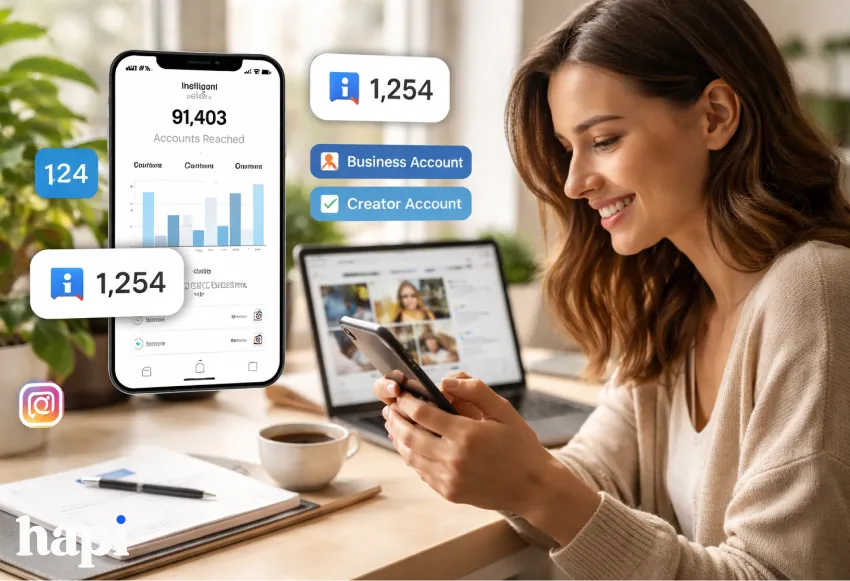
While you can’t see who saved your Instagram post, you can see how many people saved it but only under specific conditions.
You Can See Save Counts If:
- You have a Business account or Creator account
- The post was published after switching
- You use Instagram Insights
How to Check Save Counts (Step-by-Step)
- Go to your Instagram profile
- Open one of your posts
- Tap “View Insights” below the post
- Look for the bookmark icon number
That number represents total saves, not unique users or identities.
How to Interpret Save Counts (What the Numbers Actually Mean)
Seeing save counts is useful but understanding them is where the real value lies. Instagram does not define a “good” number of saves because context matters. A post with 50 saves and 500 views may actually outperform a post with 300 saves and 50,000 views.
When analyzing saves, compare them against reach, not follower count. Saves indicate that your content had lasting usefulness, not just momentary appeal. This is especially important if you’re trying to understand what content your audience values most.
Use save data to spot patterns:
- High saves + moderate reach = evergreen authority content
- High likes + low saves = entertainment-driven posts
- Low reach + high saves = niche relevance
Creators who rely only on likes often miss this deeper insight. Saves help you identify content worth repeating, repurposing, or expanding.
Instagram Engagement Metrics Comparison Table
Below is a clear comparison of what Instagram shows and what it keeps private:
| Engagement Metric | Can You See Who Did It? | What You Can See |
| Likes | Yes | Usernames & count |
| Comments | Yes | Usernames & text |
| Shares (DMs) | No | Share count only |
| Saves | No | Save count only |
This table highlights an important trend: the more private the action, the less identity data Instagram reveals.
Why Instagram Saves Matter More Than You Think
Even though saves are invisible at the user level, they are extremely powerful behind the scenes.
Many social media studies and analytics platforms agree that saves are one of Instagram’s strongest engagement signals.
Why Saves Are So Valuable
When someone saves your post, it tells Instagram:
- This content has long-term value
- Users want to return to it
- It’s more than passive entertainment
In other words, saves signal intent, not just interest.
Content That Typically Gets More Saves
- How-to tutorials
- Educational carousels
- Checklists & tips
- Inspirational quotes
- Recipes & workouts
- Travel guides
Content Types That Trigger Saves:
- “Save this for later” posts
- Step-by-step instructions
- Swipeable carousel guides
- Evergreen content
- Reference-style posts
If your goal is reach and longevity, saves often matter more than likes.
Likes = Emotion
Shares = Amplification
Saves = Future Intent
This distinction explains why saves are such a powerful engagement signal. When someone saves your post, they’re signaling that your content has value beyond the moment. That intent is why Instagram treats saves differently and why you still can’t see who saved your Instagram post, only how many did.
For educational, inspirational, or reference-style content, saves often matter more than likes. They show your post earned a place in someone’s personal collection, not just their feed.
How Saves Influence the Instagram Algorithm
While Instagram doesn’t publish exact algorithm weights, multiple social media studies suggest that saves contribute to:
- Increased post longevity
- Higher chance of Explore page visibility
- Better overall engagement rate
- Stronger audience relevance signals
Common Misconceptions About Instagram Saves
There’s a lot of misinformation around Instagram saves, especially online.
Common myths include:
- Popular or verified accounts can see saver names
- Instagram reveals savers after 24 hours
- Business accounts unlock saver identities
- Third-party apps have special access
None of these claims are true. If Instagram doesn’t show this data natively, no external tool can access it safely. Any app claiming otherwise should be avoided.
Can Third-Party Apps Show Who Saved Your Instagram Post?
You may have seen apps or websites claiming:
“See exactly who saved your Instagram posts!”
This is where you need to be careful.
The Truth About Third-Party “Save Viewer” Apps
- Instagram does not provide API access for saved-by user data
- Any app claiming to show names is:
- Guessing
- Scraping
- Or violating Instagram’s Terms of Service
Risks of Using These Tools
- Account suspension or permanent ban
- Data theft or credential harvesting
- Inaccurate or fabricated analytics
- Malware or phishing attempts
Red Flags to Watch For:
- Requests for your Instagram password
- Promises to show “hidden” data
- No official Meta partnership
- Poor reviews or vague explanations
If Instagram doesn’t show it natively, no external app can do it safely.
Smart Workarounds (That Don’t Break Rules)
While you can’t see who saved your Instagram post, you can still learn from saves indirectly.
Ethical Ways to Learn What Gets Saved
- Ask followers via Stories (“Did you save this?”)
- Use polls and question stickers
- Track patterns across high-save posts
- Compare saves vs reach in Insights
Example Strategy
If carousel posts consistently get:
- Fewer likes
- But more saves
That tells you your audience values utility over vanity metrics.
Frequently Asked Questions (FAQs)
Can you see who saved your Instagram post?
No. Instagram does not allow you to see the identities of users who saved your post. You can only see the total number of saves if you have a Business or Creator account via Instagram Insights.
Does Instagram notify you when someone saves your post?
No. Saves are completely private and generate no notifications for the creator.
Can other people see what I saved on Instagram?
No. Your saved posts are always private and visible only to you.
Do you need a business account to see saves?
Yes. Only Business and Creator accounts can see save counts through Instagram Insights.
Are Instagram saves private?
Yes. Saves are always private actions.
Do saves affect Instagram reach?
Yes. Saves are considered a strong engagement signal and can help improve your post’s visibility in the algorithm.
Final Thoughts: What You Can Control
So, can you see who saved your Instagram post?
No, and that’s by design.
Instagram protects user privacy while still giving creators meaningful data through save counts. Instead of focusing on who saved your post, the real opportunity lies in understanding why they saved it.
When you create content people want to revisit, reference, or remember, you’re already winning even without names attached.
Key Takeaways (Quick Skim)
- You cannot see who saved your Instagram post
- You can see total save counts with Insights
- Saves are private but powerful
- Avoid third-party “viewer” apps
- Optimize content for value, not curiosity
If you shift your mindset from curiosity to strategy, Instagram saves become one of the most useful tools in your content toolkit.