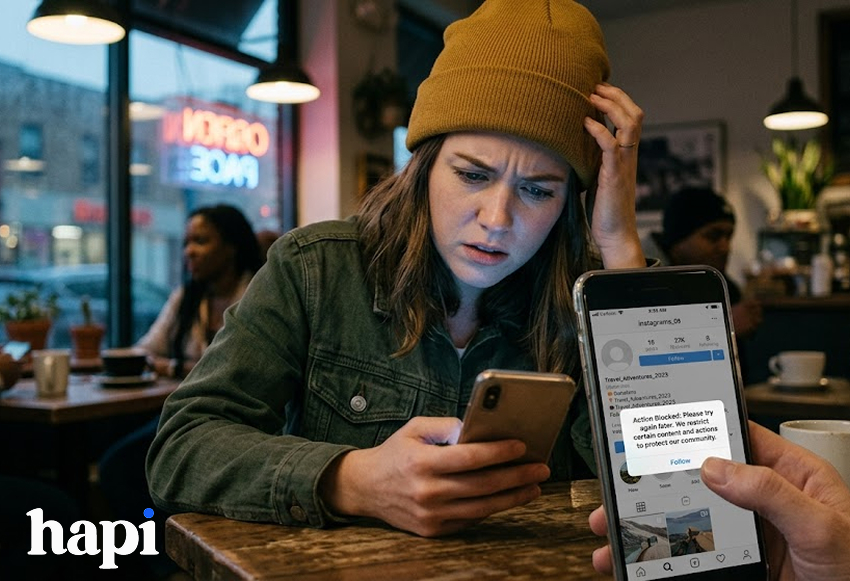
Instagram won’t let you follow anyone?
You tap Follow, and nothing happens. Maybe you see “Try again later.” Maybe the Follow button flips back. It can feel random.
Most of the time, Instagram places temporary limits when activity looks unusual or when there’s a small technical issue.
In most cases, it’s a temporary restriction. Instagram blocks follow actions when it thinks your account activity looks spammy or when there’s a common technical problem.
In this guide, you’ll see what caused the action block, how long it usually lasts, and which actions help it lift instead of dragging it out. To save you time on random tricks, we’ll walk you through the seven fixes in order, beginning with the simplest.
Fix #1: Check for a temporary app or connection issue
First, check for a simple connection or app issue.
A weak connection can cause the Follow button to fail.
- Switch mobile data and Wi-Fi
- Turn airplane mode on for 30 seconds and off
Next, restart the Instagram app. Sometimes it can bug out after running in the background for a long time.
- Close Instagram completely
- Reopen it
Turn off any VPN before trying again.
Then make sure your app is updated.
- Open the App Store or Google Play
- Update Instagram
After each step, test the Follow button.
Fix #2: You followed too many people in a short time
This is the most common reason Instagram stops you from following people.
Instagram has limited how many accounts you can follow in a short time. Fast bursts of follows look similar to bot behavior, and they can trigger a temporary block.
What to do:
- Stop following anyone for 24–48 hours
- Don’t unfollow people
- Avoid rapid likes or comments
After a short break, the Follow button usually works again.
Fix #3: A third-party app or automation tool is triggering the block
Do you use a follower tracker or “Who viewed my profile” app?
These are some third-party apps that ask you to sign in with your Instagram account outside the official app.
Instagram may see this as suspicious activity. Even if you’re not using the apps actively, it can still trigger limits.
What to do:
- Go to Settings → Security → Apps and websites
- Remove any app you don’t fully trust
- Change your Instagram password
Fix #4: You hit Instagram’s action limits (not just follow limits)
Instagram limits total activity, not just follows. That includes:
- Likes
- Comments
- Direct messages
- Unfollows
What to do:
- Pause all actions for 24 hours
- Avoid liking, commenting, or messaging in bulk
- Let your account sit for a while
Fix #5: Your account is new, recently reactivated, or recently changed
Some accounts have stricter restrictions. Instagram monitors them more closely to prevent spam.
What this includes
- Brand-new accounts
- Accounts you didn’t use for a long time
- Accounts with recent changes (email, password, username)
What to do:
- Complete your profile
- Post normally
- Follow people slowly over several days
Limits usually ease once your activity becomes consistent.
Fix #6: Instagram flagged your account by mistake
Sometimes, your account may be flagged by mistake. This can happen even if your activity was normal.
What to do:
- Go to Settings → Help → Report a problem
- Select “Something isn’t working.”
- Explain that you can’t follow accounts
It may not speed things up, but it’s the official way to report the issue.
Fix #7: Your device, IP address, or network is triggering the block
Logging in from different devices or networks can trigger limits. This includes:
- Using a VPN
- Switching between Wi-Fi and mobile data often
- Logging in from multiple devices
- Using public Wi-Fi
Frequent location changes can make your activity look unusual.
What to do:
- Turn off any VPN
- Use one device
- Stay on one stable network
- Avoid logging in and out repeatedly
Conclusion: What to do next
When the Follow button stops working, it’s almost always a pause — not a ban.
Slow down your activity, remove risky apps, and give your account time. Trying to force it often makes the block last longer.
Follow gradually and keep your activity consistent. That’s the best way to avoid follow blocks in the future.
If this guide helped, bookmark it in case the issue happens again.
FAQ: Common questions about Instagram follow blocks
How long does an Instagram follow block last?
Most follow blocks last a day or two. If you triggered the limit more than once, it can take longer. Instagram doesn’t show a timer, the Follow button just starts working again when the restriction lifts.
Can Instagram permanently block following?
Permanent follow blocks are rare. They usually happen only after repeated rule violations. The restriction is usually temporary and disappears as your activity slows down.
Why can I follow some people but not others?
When this happens, your account is partially limited. Instagram may allow a few actions but stop the rest until the limit fully resets.
Why does Instagram say “Requested” on public accounts?
This is a known glitch during follow limits. Instagram treats the follow like a request even when the account is public.
Does logging in from a browser instead of the app help?
No. Your account has been blocked on all platforms and devices.
Why does this keep happening again and again?
If it keeps occurring, your activity pattern may still look like a bot. Rapid bursts of follows, likes, or logins can repeatedly trigger the limit. Spacing out your actions usually prevents it.